


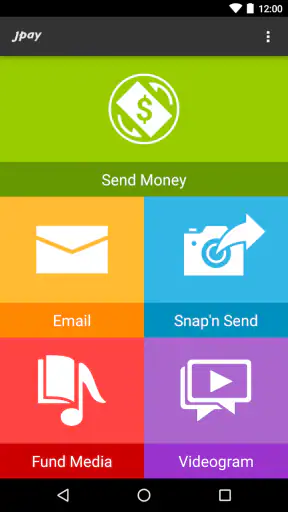


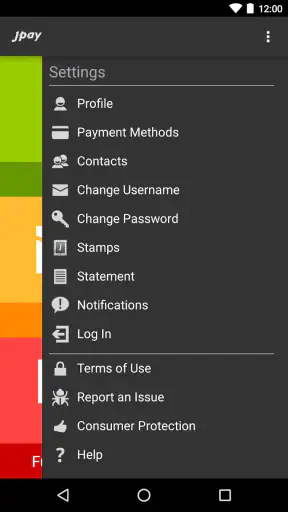
Staying in contact with someone in a correctional facility is not the same as sending an ordinary message, and that difference becomes clear the first time I used JPay. This finance app from Jpay Mobile brings money transfers, email, photos, and related communication tools into one mobile experience. I found it most useful when I treated it as a focused connection tool rather than as a general messaging app or a normal banking replacement.
The central question is not simply whether the app can send something. It is whether I can prepare a payment or message, keep track of what I am doing, and recover calmly when a connection is slow or a transaction needs attention. That makes network quality part of the experience. When the phone has a reliable connection, the app feels direct and practical. When connectivity becomes uncertain, I have to be more deliberate, especially before tapping a button twice or assuming that a message has gone through.
What the app is really for
JPay sits between financial utility and personal communication. I can use it to send money, exchange emails, and share photos, which makes it relevant to families and friends who need more than a single-purpose payment screen. The finance label is appropriate because money movement is one of its main jobs, but the emotional side matters just as much: a short message or photograph can be part of maintaining a relationship over distance.
That combination is also why I would not compare it directly with a typical wallet app. A conventional payment service may be more flexible for everyday purchases, account management, or broad bill payments. JPay is more specialized. Its value comes from placing financial support and communication in the same destination, rather than asking me to switch between a bank app, a separate messaging service, and another way to share personal media.
The app is free to install, and its Teen content rating makes it accessible to a broad audience, although the real suitability depends on the user’s situation and the facility-related communication context. It has been available since October 15, 2012, and its continued presence is reflected in more than five million installs. The current version is 26.5.0, and it requires a device running at least iOS or Android version 12. That operating-system requirement is worth checking before planning to rely on it from an older phone.
Where the network changes the experience
JPay is at its best when I have a stable mobile data or Wi-Fi connection and enough time to verify each step. Opening the app, moving between communication and payment tasks, uploading a photo, or checking the result of an action all depend on the phone being able to reach the service. I do not treat a loading screen as proof that nothing happened. If I am in a weak-signal area, I wait before trying again, because repeating a payment or message too quickly can create unnecessary confusion.
A realistic example is sending support while commuting. I might begin the process on a train, lose signal in a tunnel, and return to the app later. My instinct would be to start over, but the safer workflow is to first inspect the relevant status and confirm whether the previous attempt was accepted. This small habit is more important here than in a casual chat app, because money and personal communication deserve different levels of caution.
Messages and photographs also feel different from instant messaging between two phones. I avoid assuming that a recipient has seen something simply because my screen moved forward. The app can help me initiate the communication, but the wider delivery process may not feel immediate. That is a useful expectation to set before using it for time-sensitive information. For urgent matters, I would use whatever official or direct channel is appropriate rather than depending on an in-app exchange to arrive instantly.
My most important connectivity tip is to separate “submitted” from “received.” After an action, I look for the clearest status available, keep any confirmation details, and avoid sending duplicates until I understand what happened. This is especially helpful when sharing a photo or sending money from a crowded public network, where a delayed response can make the app appear less certain than it really is.
Using it in ordinary mobile situations
The mobile format makes sense for people who need to stay responsive without sitting at a computer. I can imagine using it during a lunch break to write a short email, later returning to handle a financial task, and then checking the conversation from the same phone. That convenience is the app’s strongest practical argument. I do not have to remember which separate service handles which part of the relationship.
At the same time, a phone is not always the best place for careful financial work. On a small screen, it is easy to skim a name, amount, or recipient detail. I slow down before confirming anything and avoid doing it while distracted. A quiet moment is better than trying to complete a sensitive action while walking through a station or juggling several notifications.
Photo sharing benefits from the same restraint. I choose images deliberately, check the selected attachment before sending, and consider whether the picture communicates what I intend without requiring a long explanation. This is a less obvious strength of having communication and support in one app: a photo can add warmth to a message, but it also encourages me to think about the tone and context of what I am sharing.
For people who use multiple phones, travel frequently, or change devices, I would pay attention to the sign-in and verification experience each time. I would not assume that moving to another device will preserve every screen state or unfinished action. Before switching phones, I would make sure I know the account credentials and keep track of any pending communication or payment separately. That is not glamorous advice, but it prevents a connectivity problem from becoming an account-access problem.
What happens when something goes wrong
The most frustrating moments are not necessarily crashes. They are ambiguous moments: a button has been pressed, the connection stalls, and I cannot immediately tell whether the action completed. With a normal social message, I might shrug and try again. With JPay, I take a more methodical approach. I first wait, then reopen the relevant area, and finally check for a visible record or status before repeating anything.
If an email or photo appears not to move forward, I check the connection by switching between Wi-Fi and mobile data when that is safe and available. I also avoid editing the same message repeatedly while the app is still trying to respond. A stable connection and one clean attempt are easier to evaluate than several hurried attempts made during a signal drop.
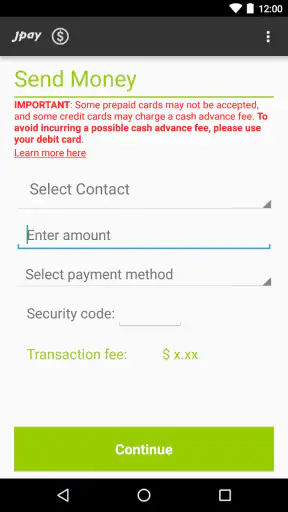
Financial actions deserve an even stricter recovery routine. I note the intended recipient and amount before beginning, then review the result afterward. If the app does not clearly settle the status, I keep a record of the time and details and seek help through the appropriate support route instead of submitting the same transaction again. This is one of the main trade-offs compared with a familiar banking app: JPay is convenient for its specialized purpose, but I want more patience and manual checking from myself.
Another practical point is device readiness. The app requires a recent operating system, so an older phone may be the first source of trouble before network quality even enters the picture. If the app cannot be installed or updated, I would resolve that compatibility issue before relying on it for a planned message or payment. Keeping the phone’s system current also reduces the chance that a problem is caused by an outdated environment rather than by the service itself.
Being careful with data and personal information
Because JPay combines money-related activity with personal messages and photographs, I use it more thoughtfully than a lightweight chat app. I avoid sending sensitive account details inside a casual message, and I review photographs before attaching them. A picture can reveal more than intended through its background, visible documents, or other people in the frame, so I treat the attachment step as a privacy check rather than a quick tap.
Data-conscious use is also about timing. If I am on a limited mobile plan, I prefer Wi-Fi for photo-related activity and keep messages concise when a connection is unstable. I do not repeatedly reload a screen just because it takes a moment to respond. That behavior can consume data without giving me better information, especially in an area where the signal is fluctuating.
I also keep the app’s role clear. It is not a replacement for every financial service I use, and I would not move unrelated banking tasks into it simply because it handles payments in its own context. A separate bank application may remain better for reviewing broader finances, while JPay is more appropriate when the payment is tied to staying connected with a particular person.
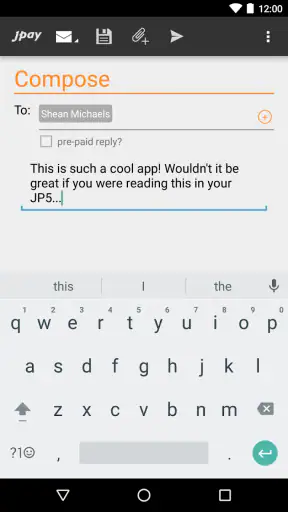
One useful habit is to draft the substance of a longer email before opening the app. I can write the message in a simple notes area, edit it with less pressure, and then paste or retype the final version when I have a dependable connection. I still review the recipient and wording inside JPay before sending. This reduces the chance of losing a carefully written thought during a weak-signal moment, while avoiding the assumption that the app supports offline composition or offline sending.
How it compares with the usual alternatives
Compared with a normal messaging app, JPay is more specialized and less socially broad. I would not choose it to chat with a group of friends, follow public conversations, or replace the messaging tools already used by most contacts. Its advantage is that email, photographs, and financial support are connected to the same relationship and purpose.
Compared with a banking app, it is more personal but narrower. A bank app is usually the natural choice for ordinary transfers, balances, and general money management. JPay makes more sense when I need the communication side as well, particularly when sending a message or photo alongside practical support matters to me. If I only need routine banking, adding a specialized app may create needless complexity.
Compared with desktop access, the phone version wins on immediacy. I can respond from wherever I am, which is valuable when a family member needs a timely note. The compromise is that mobile screens encourage rushed decisions. For a long message, a detailed review, or a payment that requires careful checking, I prefer a calm setting and a full-size screen when that option is available.
The app’s average rating is 3.9 from around one hundred four thousand ratings, with roughly thirty-six thousand written reviews. I read that as a sign of a useful but not universally smooth experience. The scale of adoption suggests that many people have a reason to keep it installed, while the less-than-perfect score reminds me that account, network, and transaction friction can matter as much as the basic feature set.
Who will benefit most from it
I would recommend JPay to someone who regularly needs to combine financial support with email or photo communication in a single mobile workflow. It is particularly practical for a family member who wants to send a quick note after handling a payment, or for a user who values having the conversation and the practical assistance in one place.
I would also recommend it to people who are comfortable checking statuses carefully. The app rewards users who pause after a slow response, confirm what happened, and keep their own notes for important actions. That mindset turns connectivity from a constant source of worry into something manageable.
I would hesitate to recommend it to someone looking for a full banking platform, a general-purpose messenger, or a service that can be trusted for instant communication in every situation. It is also not the right fit for a phone that cannot meet the minimum operating-system requirement. If an older device is your only option, compatibility should be settled before you depend on the app.
My connectivity verdict
After using it as a mobile finance and communication tool, I see JPay as a focused app whose usefulness depends heavily on the situation. Its best quality is the way it brings money, email, and photographs into one relationship-centered workflow. That is more meaningful than simply adding another messaging icon to a phone.
Its main weakness is the responsibility placed on the user when a connection is unreliable. I need to verify results, avoid duplicate actions, protect personal details, and remember that sending is not necessarily the same as being read. Those are manageable limitations, but they are not details I would ignore.
JPay Mobile has built a recognizable service around a specific need, and the free app is worth considering if that need matches your life. I would install it on a compatible device, use Wi-Fi when sharing photos or handling important tasks, and keep a simple record of financial actions. With those habits, JPay is a practical bridge between support and personal contact; without them, a slow network can make an otherwise useful experience feel uncertain.


